Problem, approach, outcome
01Problem
When a connection goes bad on the road, every failure looks the same: pages hang, the VPN app says “connected,” the router’s lights are green. My travel setup has a chain of links between the laptop and the Internet — Wi-Fi to a travel router, a USB tether to a phone, a roaming cellular carrier, a VPN tunnel back to the US — and any one of them can be the one failing. Speed tests and “is it down?” sites give one number for the whole chain, and a successful ping, the usual proof of “online,” is often the most confidently wrong answer on the screen.
02Approach
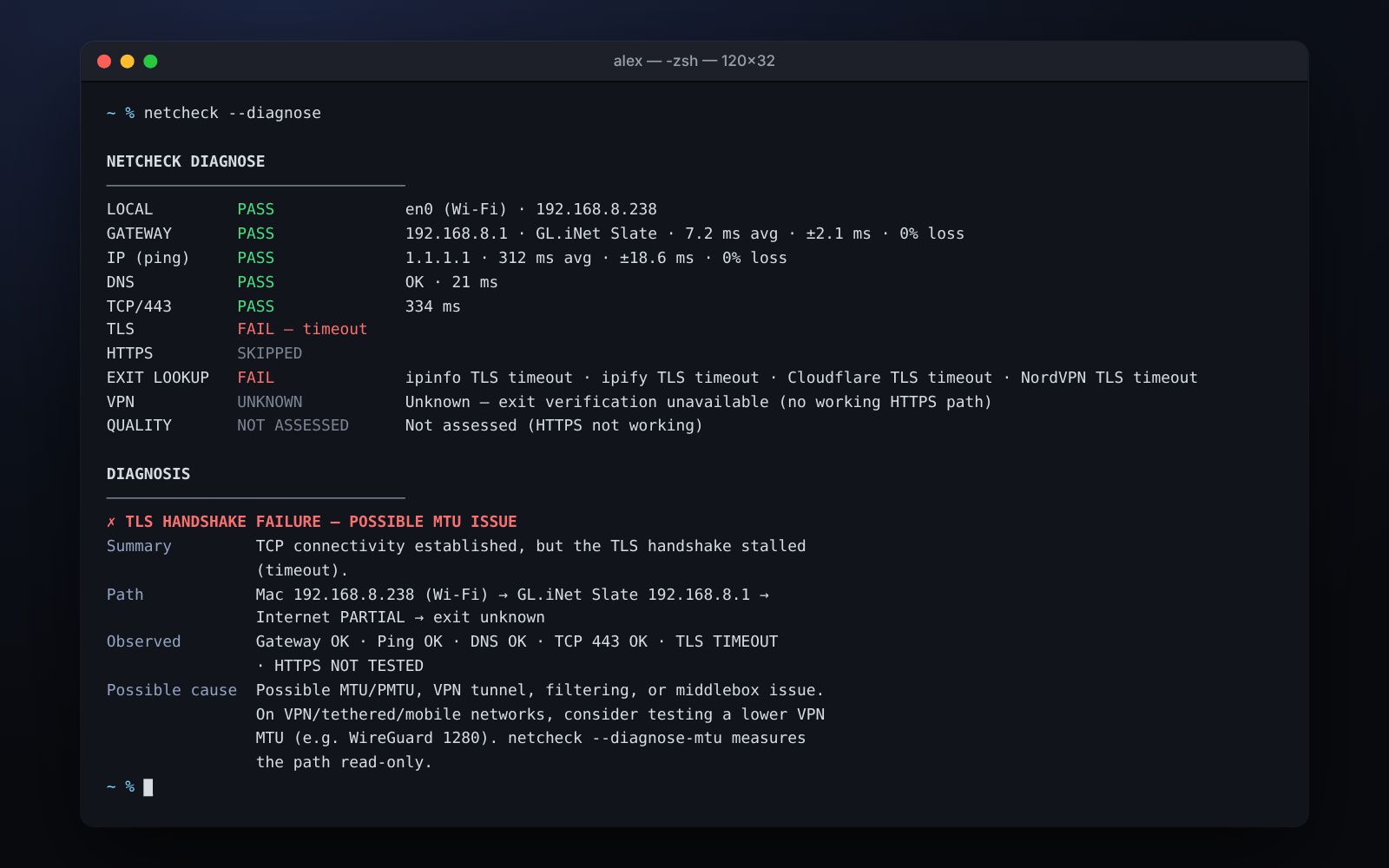
Test each layer on its own, and report only what was measured. Every run checks the network interface, the router, raw IP, DNS, TCP, TLS and the VPN exit in parallel, each with its own timeout, then names the lowest layer that failed — with what was observed kept apart from what might be causing it. The rule came from the bug that started the project: ping, DNS and TCP all passed, but the TLS handshake stalled. The cause was a VPN packet size too large for the tethered path. NetCheck now recognizes that signature and offers it as a lead, not a verdict.
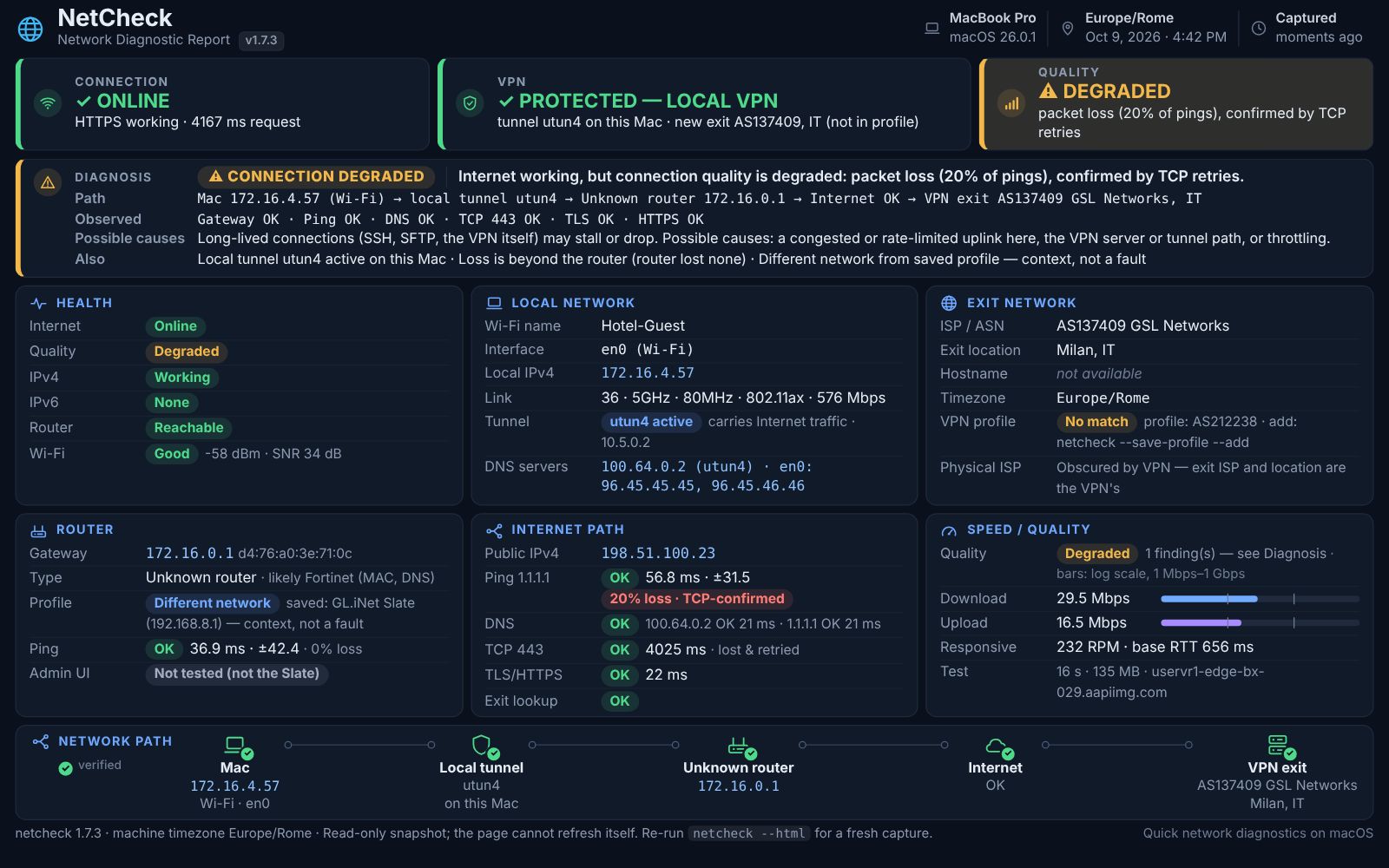
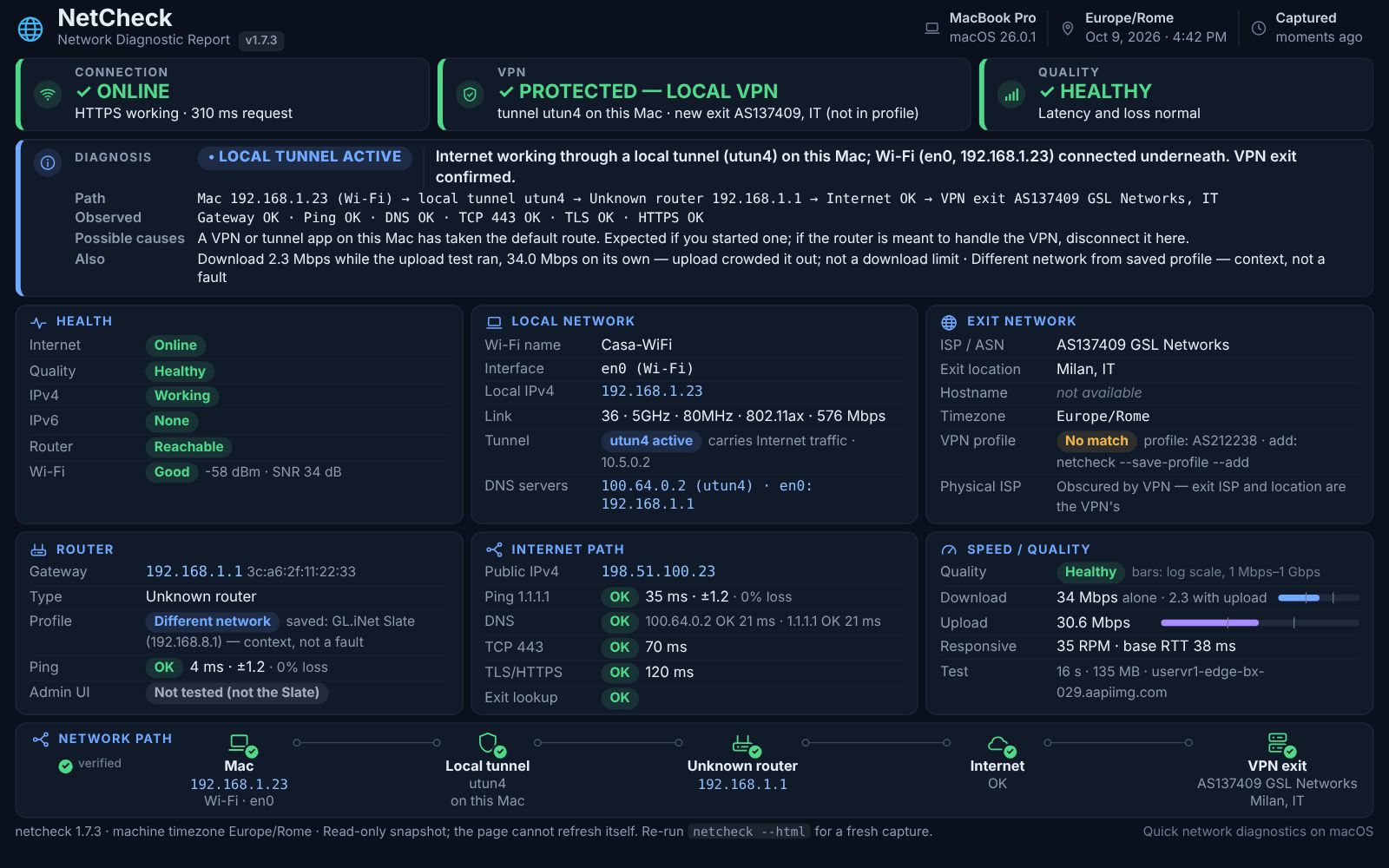
Accuracy matters more than a green tick. The VPN exit is checked against a saved profile and the provider’s own verdict, so a dropped tunnel and a normal day never look alike. Packet loss needs a second witness, TCP retries, before it’s called heavy. A low download is measured again on its own before it’s reported, because inside a VPN tunnel the upload test can crowd it out. Hotel sign-in pages are detected before they can skew anything else. And the browser report knows its own age: after thirty minutes it stops claiming to know.
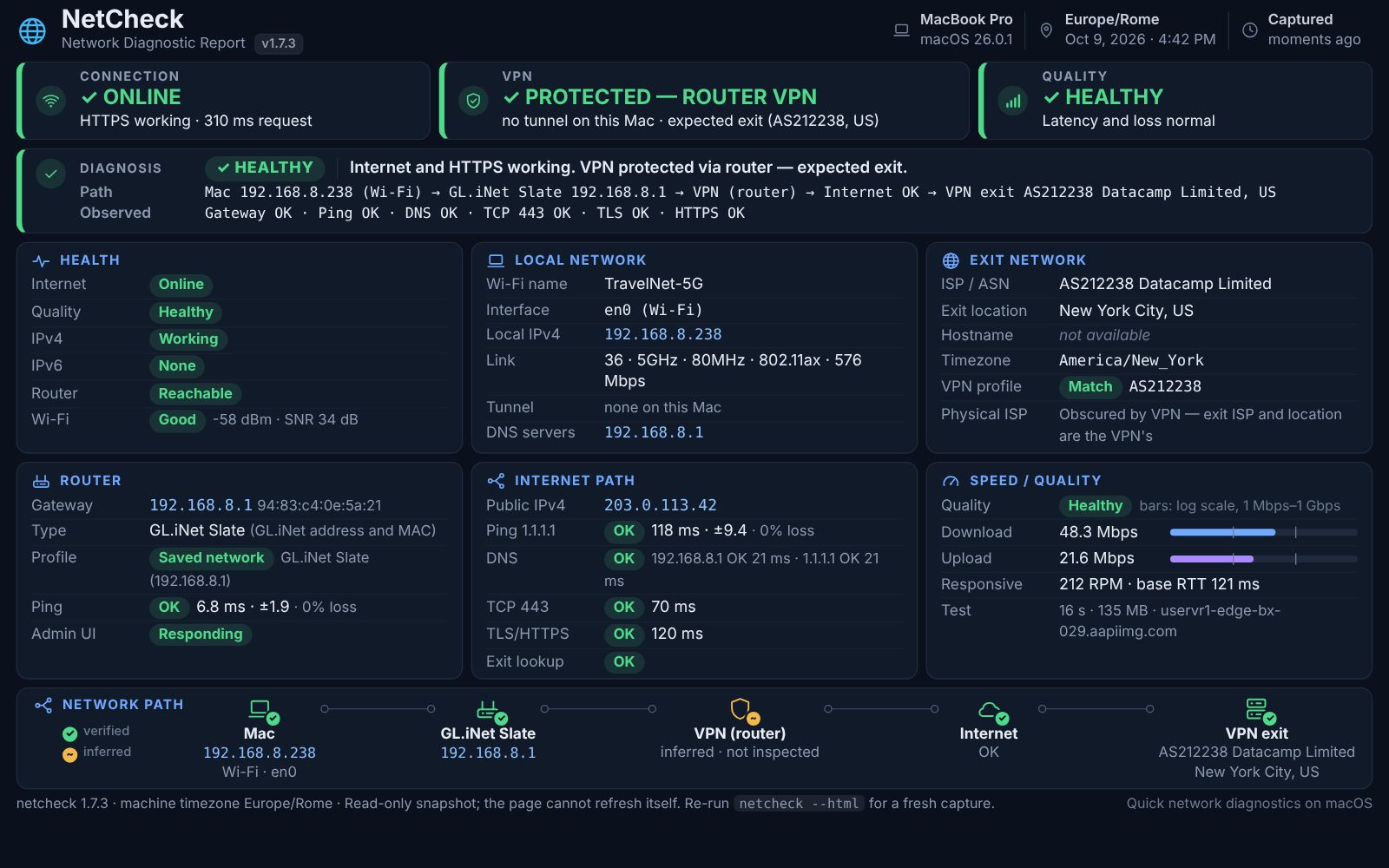
It’s a single shell script that relies only on tools macOS already ships with. A test harness runs the real script against 25 simulated networks — router VPN, VPN on the Mac, sign-in pages, the TLS stall, hotel Wi-Fi at 60% packet loss — on every push, and its thresholds are checked against real runs from hotels, apartment rentals and an in-flight satellite connection.
03Outcome
NetCheck is the first thing I run when a connection misbehaves, and its report is built to be screenshotted and read by someone else, often an AI assistant in the middle of troubleshooting. It has settled real questions: whether a slow video call was the hotel or the VPN, why an SFTP upload stalled while browsing worked, and why in-flight Wi-Fi crawled. On that flight, the same satellite link gave 68 Mbps without the VPN and under 1 Mbps through it.