Custom app · Web app · Studio operations

Client Tracker

Client & billing dashboard · Custom build

Production

Open the sample demo (opens in new tab) All projects

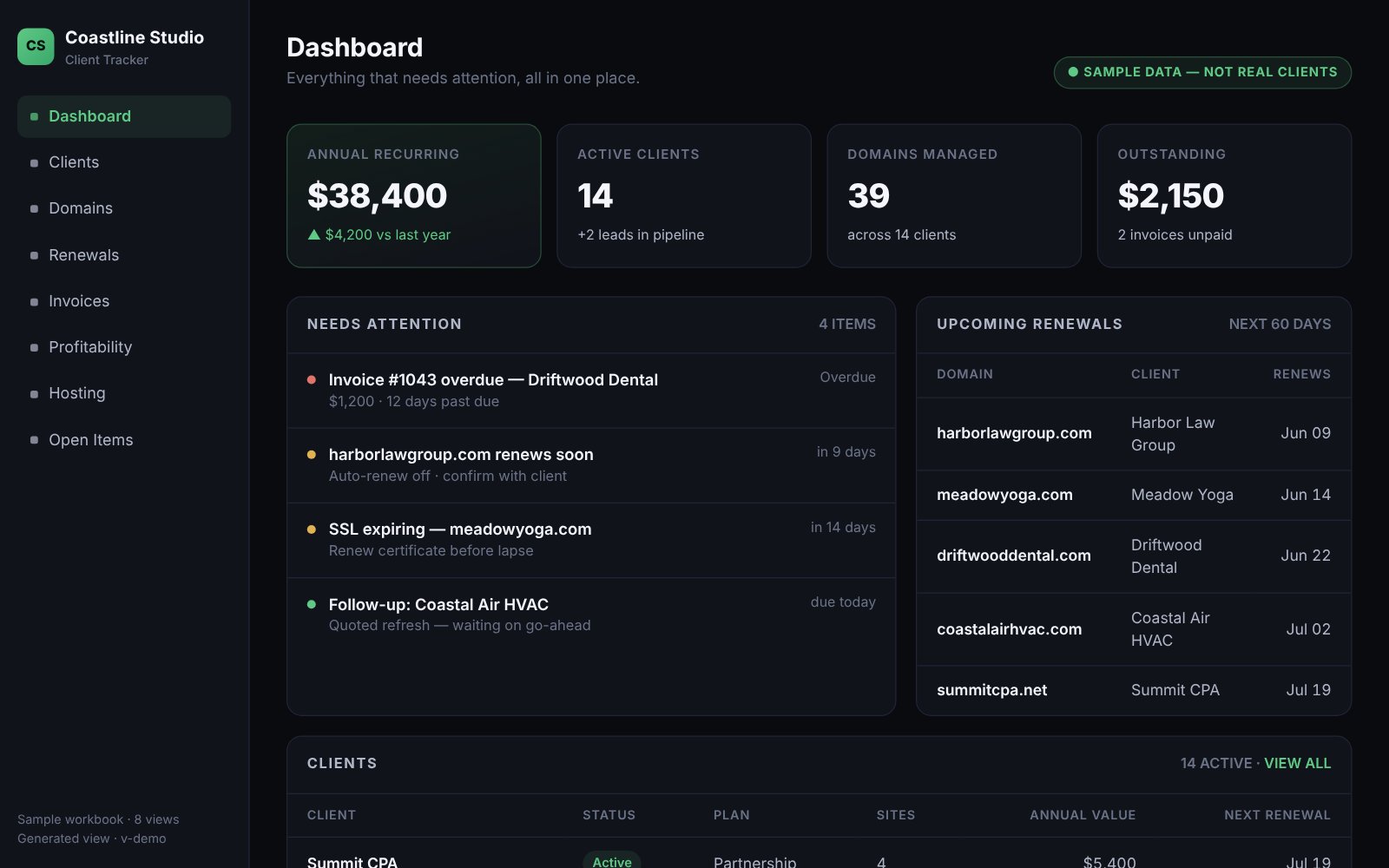
Client Tracker dashboard from the Coastline Studio sample demo: cards for annual recurring revenue, 14 active clients, 39 domains managed and $2,150 outstanding, above a Needs attention list and the renewals due in the next 60 days
01The story

Problem, approach, outcome

I needed a way to manage all of my client domains and websites, and the invoicing that goes with them. After years of independent work, that information was spread across two hosting providers, several domain registrars, FreshBooks and folders of invoice PDFs. Each one answered its own small question. None of them could tell me, for a single client, what they own, when it renews, and whether I’ve billed them for it.

Keep the data where I already work, and generate everything else from it. The spreadsheet is the single source of truth, with tabs for clients, domains, hosting, invoices, open work and billable items. Python scripts read it and write plain HTML pages, which are never edited by hand, and a verification script checks the pages against the spreadsheet and fails if they’ve drifted apart.

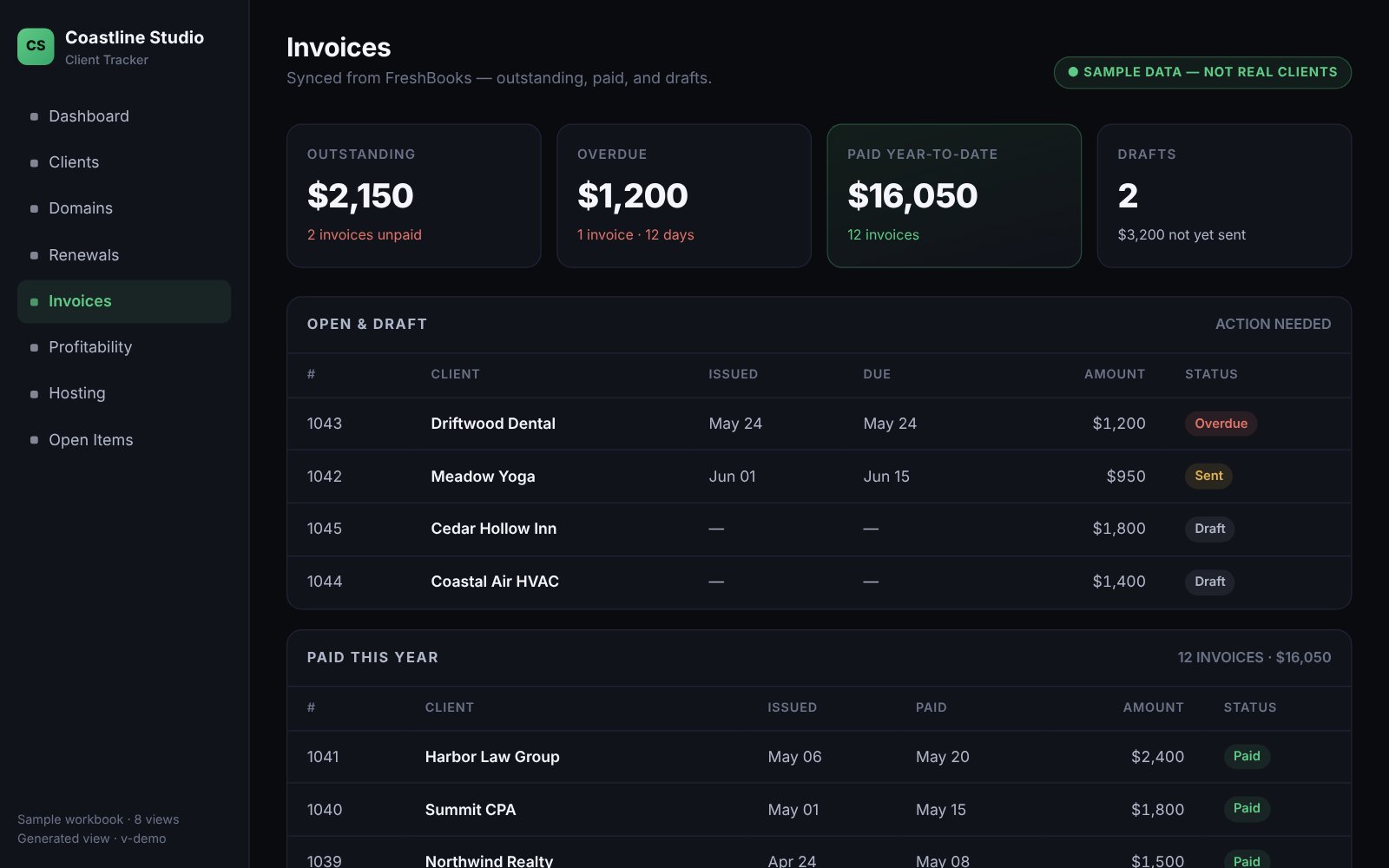
Each view answers one question: what renews soon with auto-renew turned off, what work is done but not yet invoiced, which clients haven’t been billed in more than a year, and what each client earns after domain and hosting costs. Small jobs are logged as billable items when they happen and stay on that client’s page until they’re invoiced, so they can’t slip between invoices. FreshBooks still sends the invoices; the tracker makes sure nothing is missing from them.

Bringing the history in was part of the work. Years of invoice PDFs were read back into the spreadsheet, and lapsed domains were matched to the clients they belonged to, so every client page shows the whole relationship.

It does the job I built it for: it keeps track of renewals, billing and domains for each client, in one place.
02Overview

About Client Tracker

Client Tracker is the back office for my studio. Every client, domain, website, hosting plan, renewal and invoice lives in one spreadsheet, and a set of scripts turns that spreadsheet into a small private website: a dashboard of what needs attention, a page for each client, and views for domains, renewals, billing, invoices and profitability.

It’s private by design. It holds real client names, contacts and billing, so it runs from a folder on my own computer, with no server and no login. The version you can click through is a sample demo for a fictional studio, built from a sample spreadsheet the same way the real views are.

03Features

What it does

  • A dashboard of what needs attention: renewals due soon, auto-renew turned off, overdue invoices and work ready to bill
  • A page for each client with their domains, hosting, invoice history and unbilled work
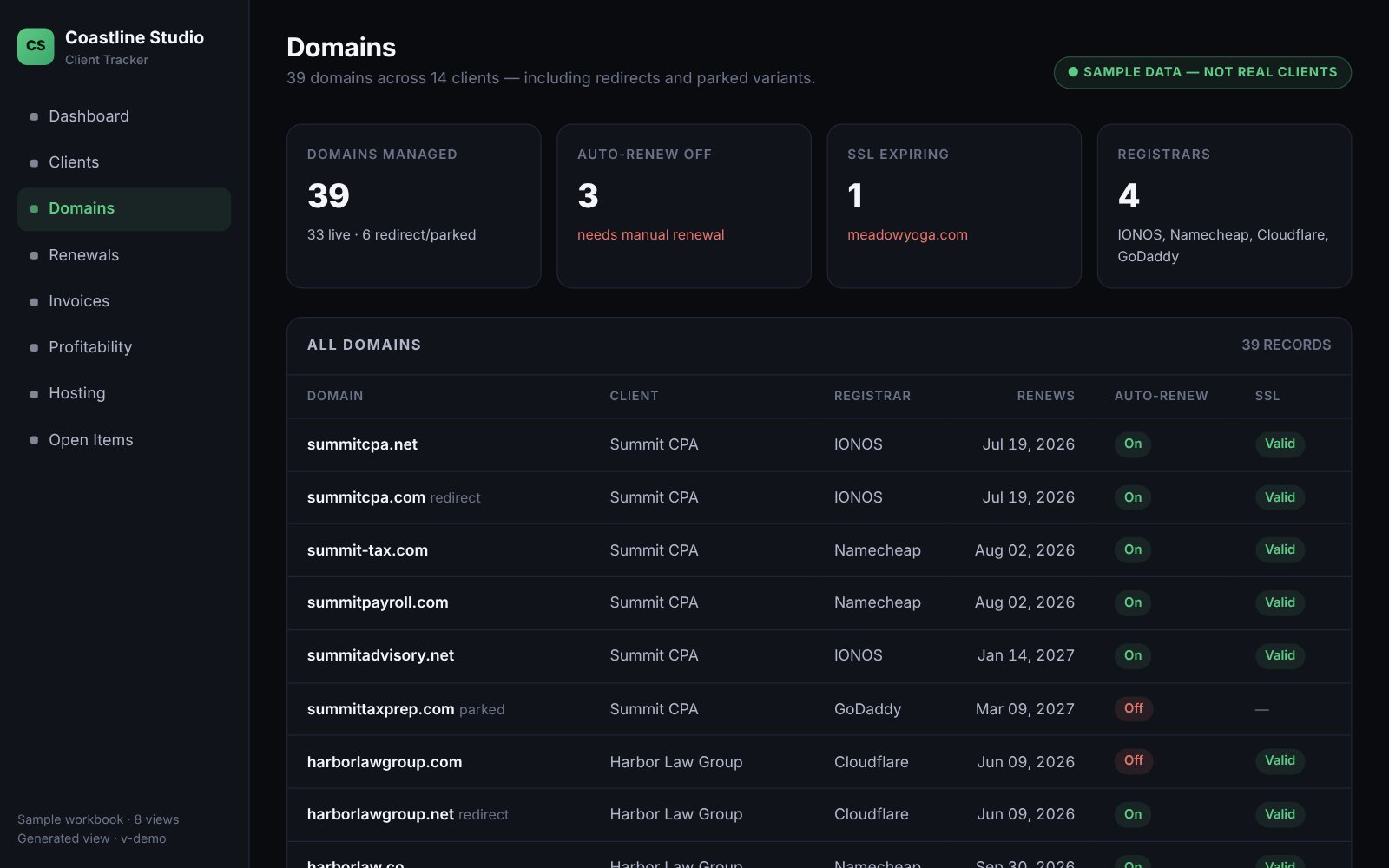
  • Every domain with its registrar, renewal date, auto-renew status and redirects, including lapsed ones
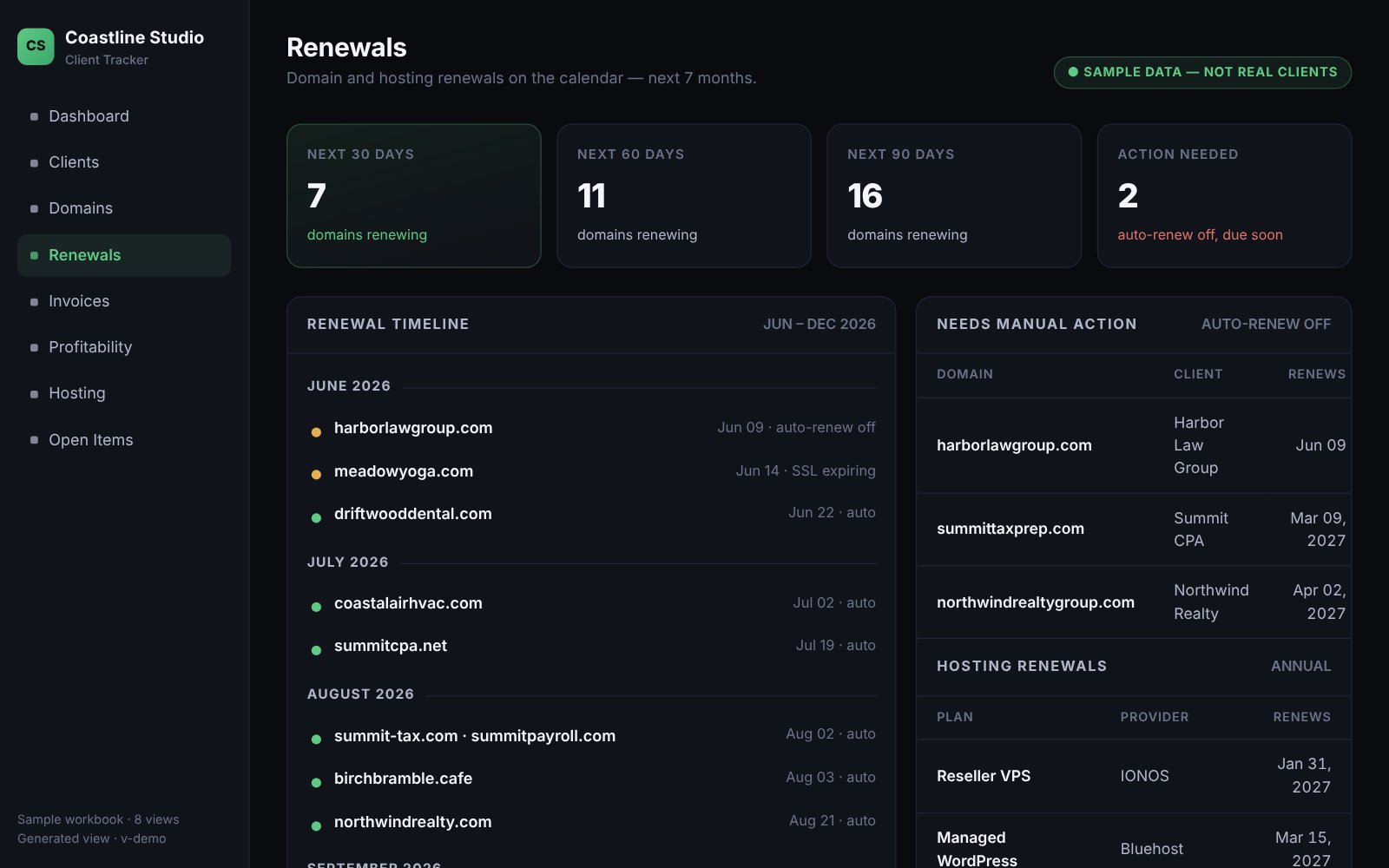
  • A renewals calendar grouped by month
  • Billable items logged as the work happens, shown on the client’s page until invoiced
  • Draft renewal invoices for clients who are due, ready to send from FreshBooks
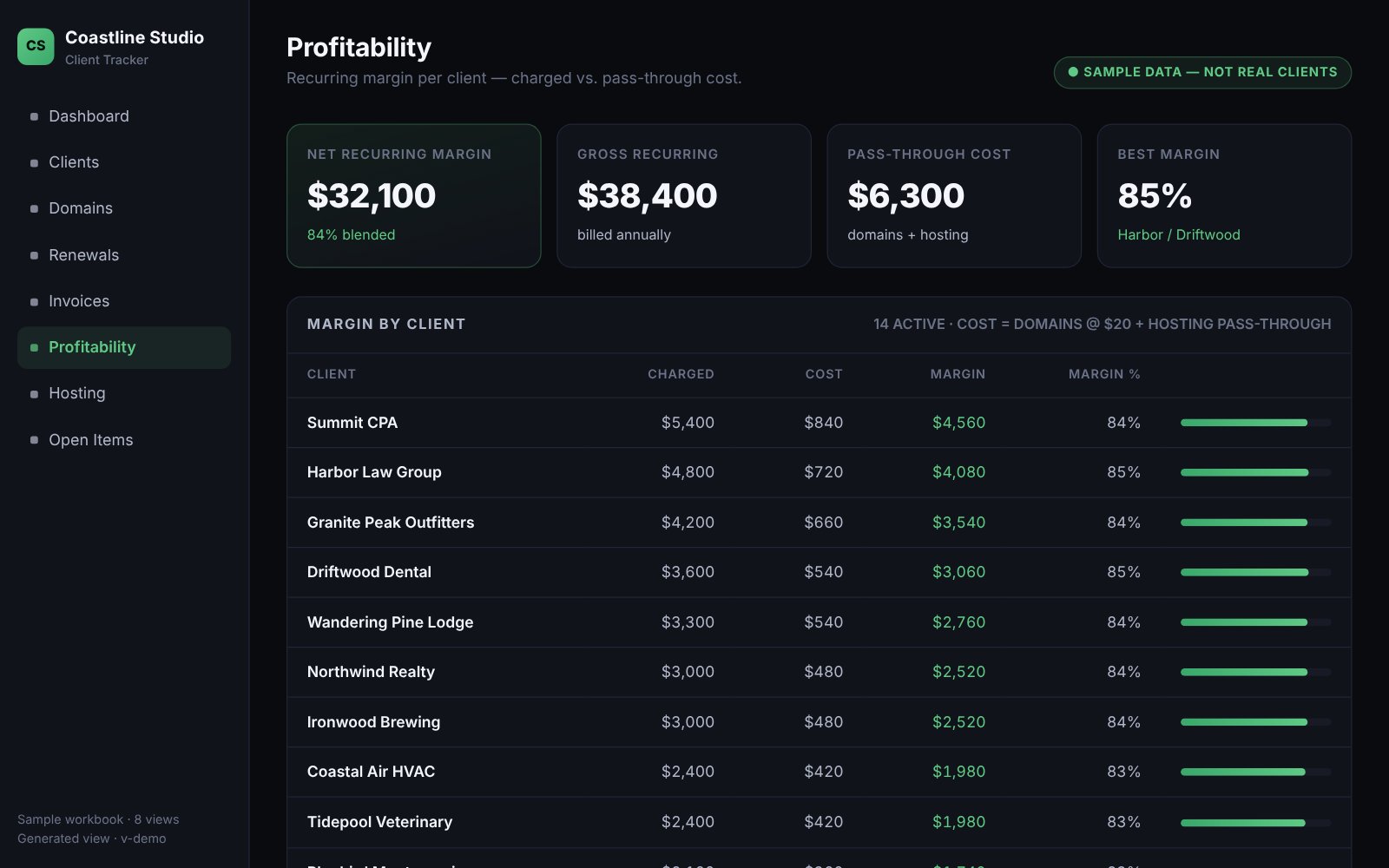
  • Recurring margin per client: what they pay against their domain and hosting costs
  • A migration tracker for moving sites between hosting providers
  • Sortable tables, and light and dark mode
05Stack

How it’s built

  • An Excel workbook as the single source of truth
  • Python 3 and openpyxl: eight generator scripts
  • Static HTML with one shared stylesheet, and a little inline JavaScript for sorting and the theme
  • A verification script that fails when the pages and the spreadsheet disagree
  • Runs from a local folder: no server, no database, no login
  • Every change tracked in Linear
06Roadmap

Where it’s going

  1. Shipped

    Clients, domains and renewals in one place

    Every domain tied to its client, with renewal dates and auto-renew status.

  2. Shipped

    Unbilled work and invoice drafts

    Billable items logged as they happen, and renewal invoices drafted for clients who are due.

  3. Shipped

    Invoice history and profitability

    Past invoices brought in from PDFs, and recurring margin for each client.

  4. Shipped

    Sidebar redesign

    Grouped navigation, and light and dark mode.

  5. Next

    One build command

    Regenerate and verify every page in a single step, in the right order.

  6. Next

    Version history for the data

    Put the spreadsheet under real version control instead of dated backup copies.

  7. Exploring

    Visual polish

    A type and spacing pass, and collapsible sections for long histories.

Have a problem a small, focused tool could solve?

This is the kind of work I do at 321 Enterprise. Tell me what slows your team down and we’ll see what we can build.

Start a conversation See all projects